Threshold
Threshold is a self-directed concept exploring what it would take to make letting a stranger into your home feel as safe and considered as it should, combining identity verification, a vetted provider network, and day-of safety features into a single consumer-grade trust experience.
Year
2026
Concept
Product Strategy & UI Design
I designed Threshold end to end, from concept through a full mobile UI system, as a personal exercise in a product category I had not worked in before. What it would take to treat the moment of letting a stranger into your home with the seriousness it deserves, verifying identity, building a trusted network, and staying present through the actual visit, without feeling like a compliance form.
The problem
Millions of households let someone they have never met into their home each week, whether a caregiver, a contractor, or a dog walker, but trust can feel disconnected with aging background checks, lack of communication, or even just gut feeling. There is no fast, verifiable way to confirm that the person standing at the door is who they say they are, and no continuity between hiring someone and knowing what is happening while they are actually in your home.
The design challenge
The tension I designed around is enterprise-grade trust (real verification, real safety mechanisms) delivered with consumer-grade craft (fast, warm, something people actually want to open).
Process
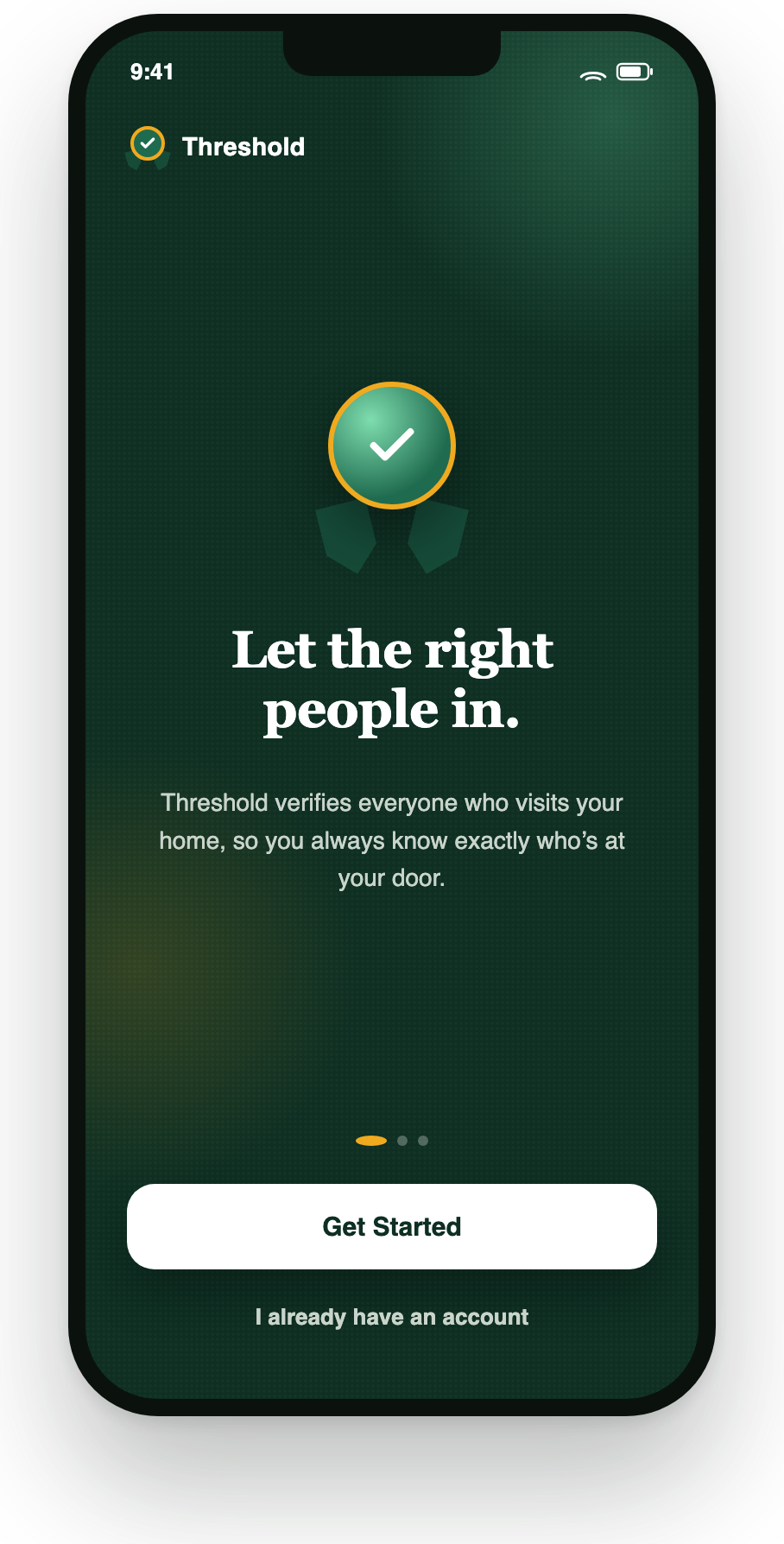
I began by identifying four core jobs the product needed to fulfill, identity verification, provider discovery, day-of safety, and ongoing communication, and designed a full flow for each. I then layered in the supporting functionalities like booking, preferences, onboarding, and referrals. I built a small type and color system so the badge language remained consistent.
What I designed
Identity & trust
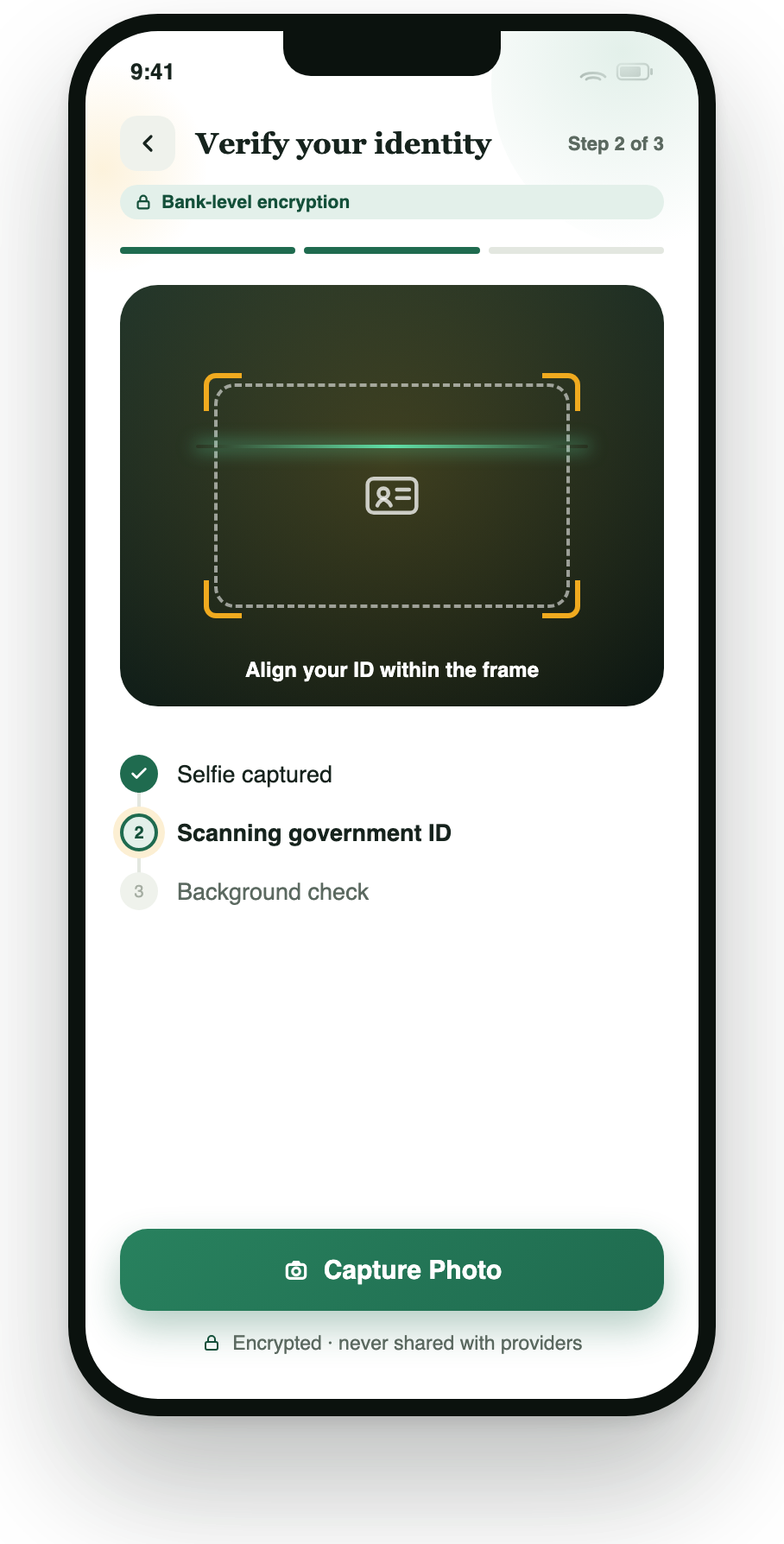
Camera-guided ID verification with a step checklist (image, ID scan, background check) and visible encryption messaging
A medal/ribbon badge system used consistently for verification, reused across provider cards and chat
Discovery & network
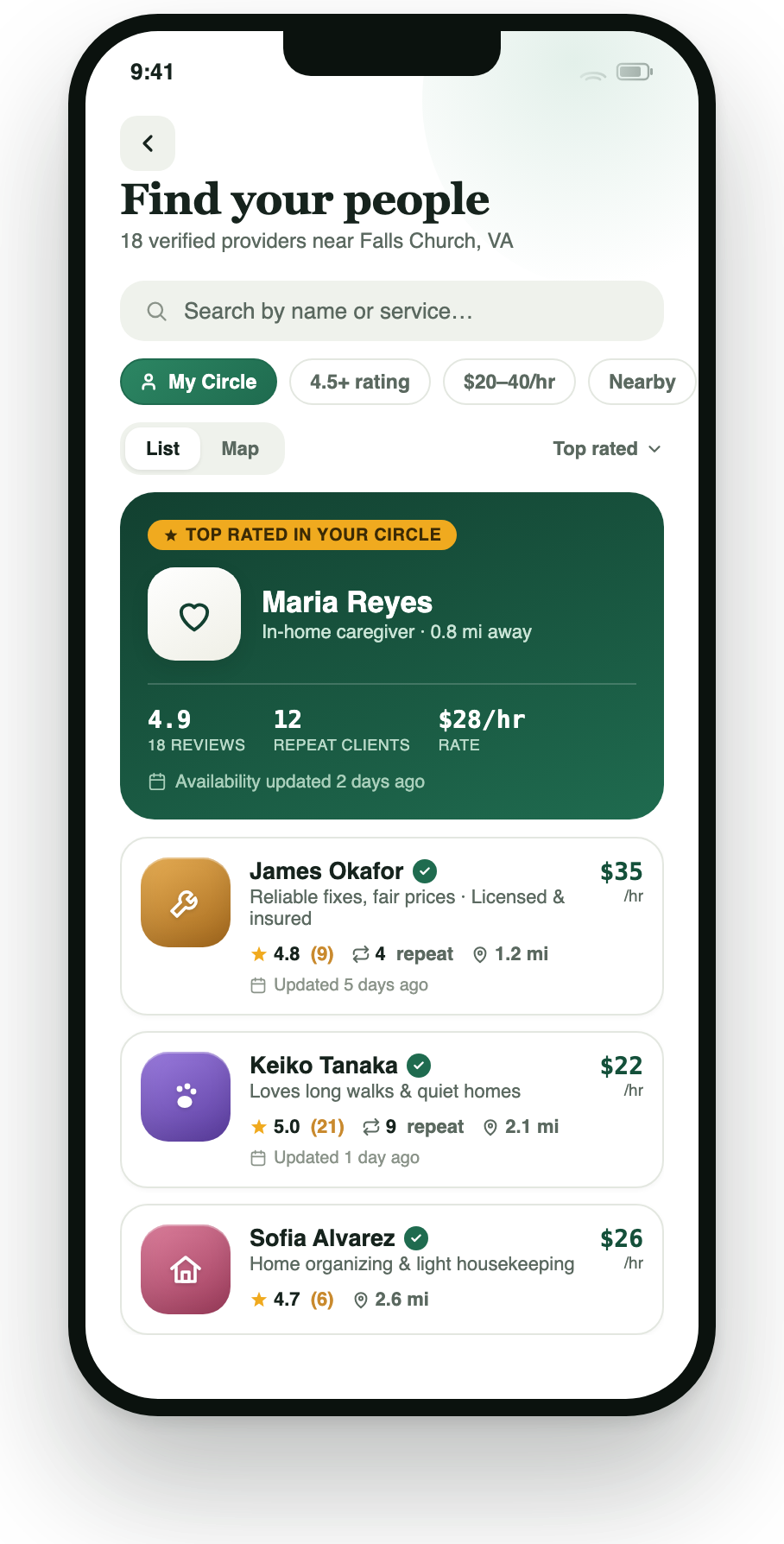
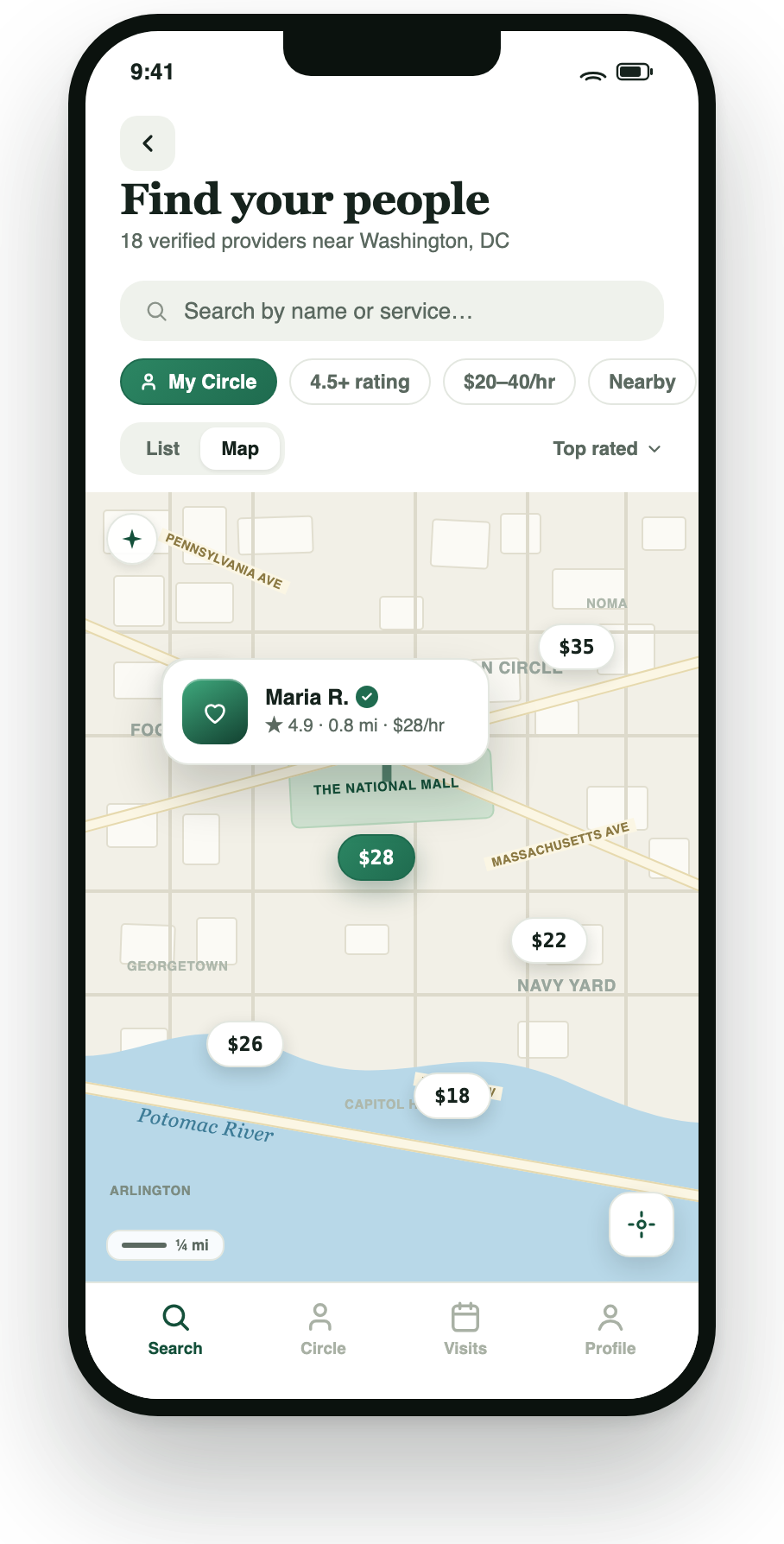
Search and filtering by network, rating, price, and distance (combinable)
A map view
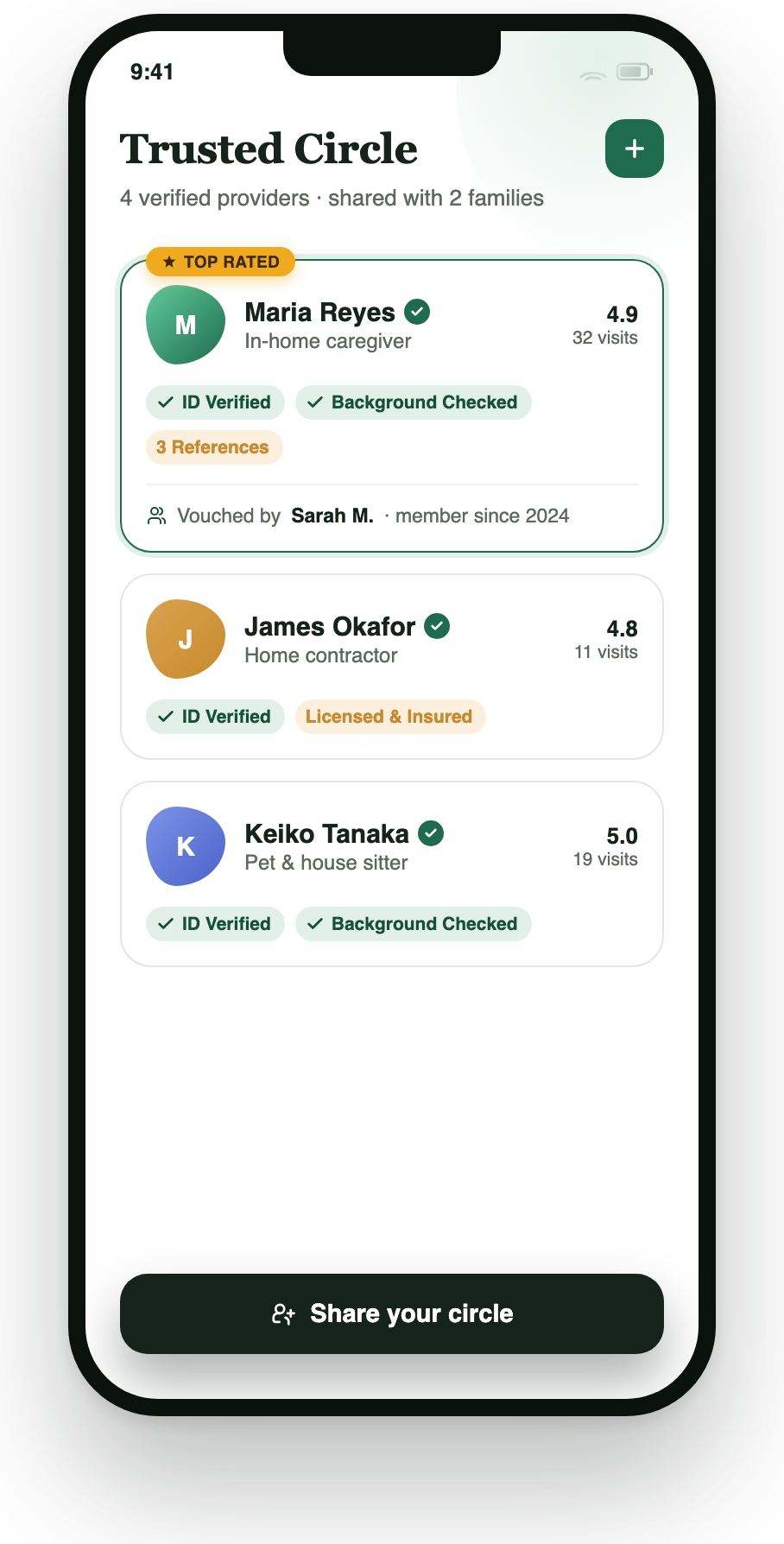
A Trusted Circle screen with vouching and shareable provider networks between families
Booking & day-of trust
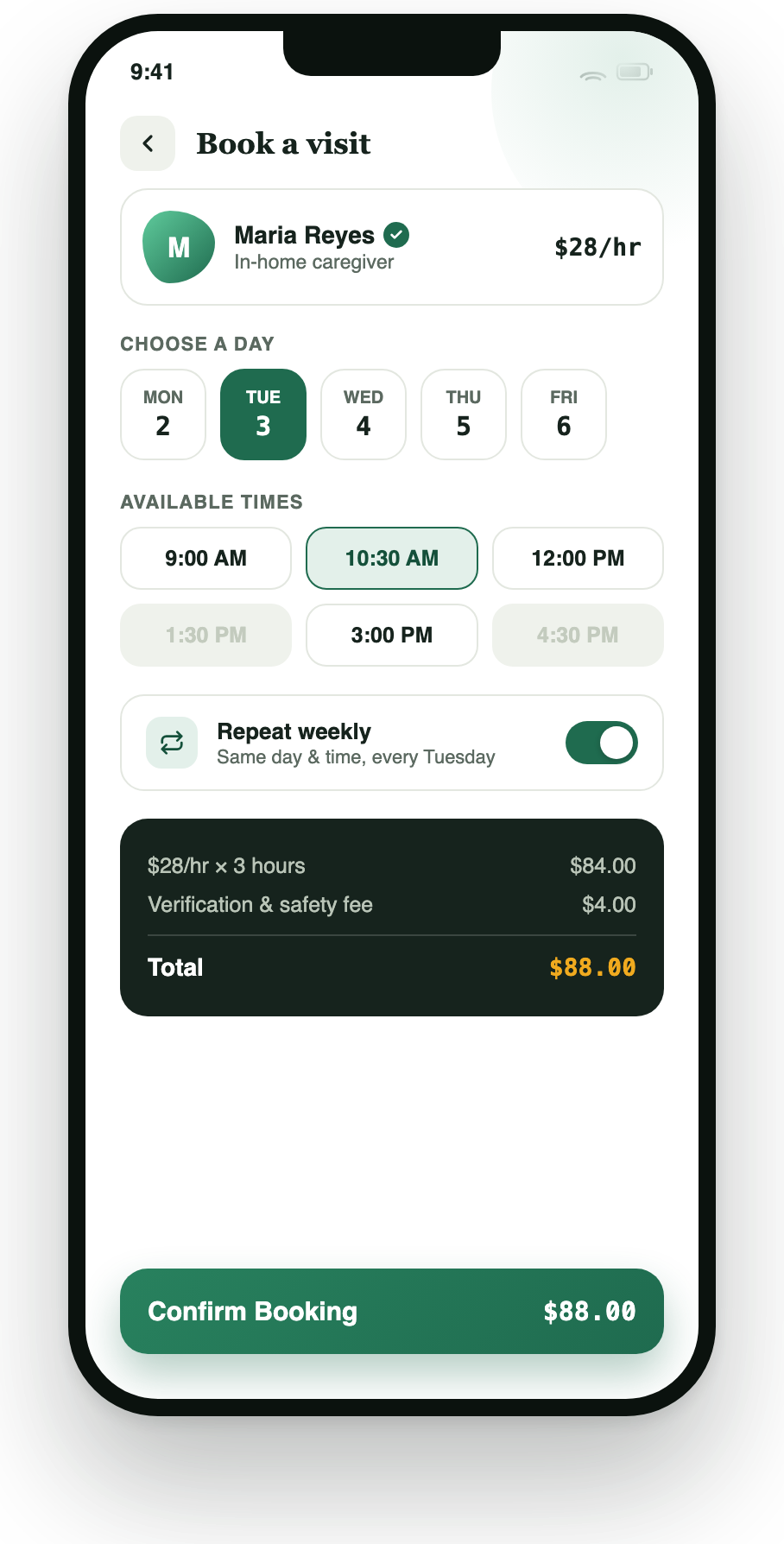
A booking flow with day/time selection, a repeat-weekly option, and transparent pricing
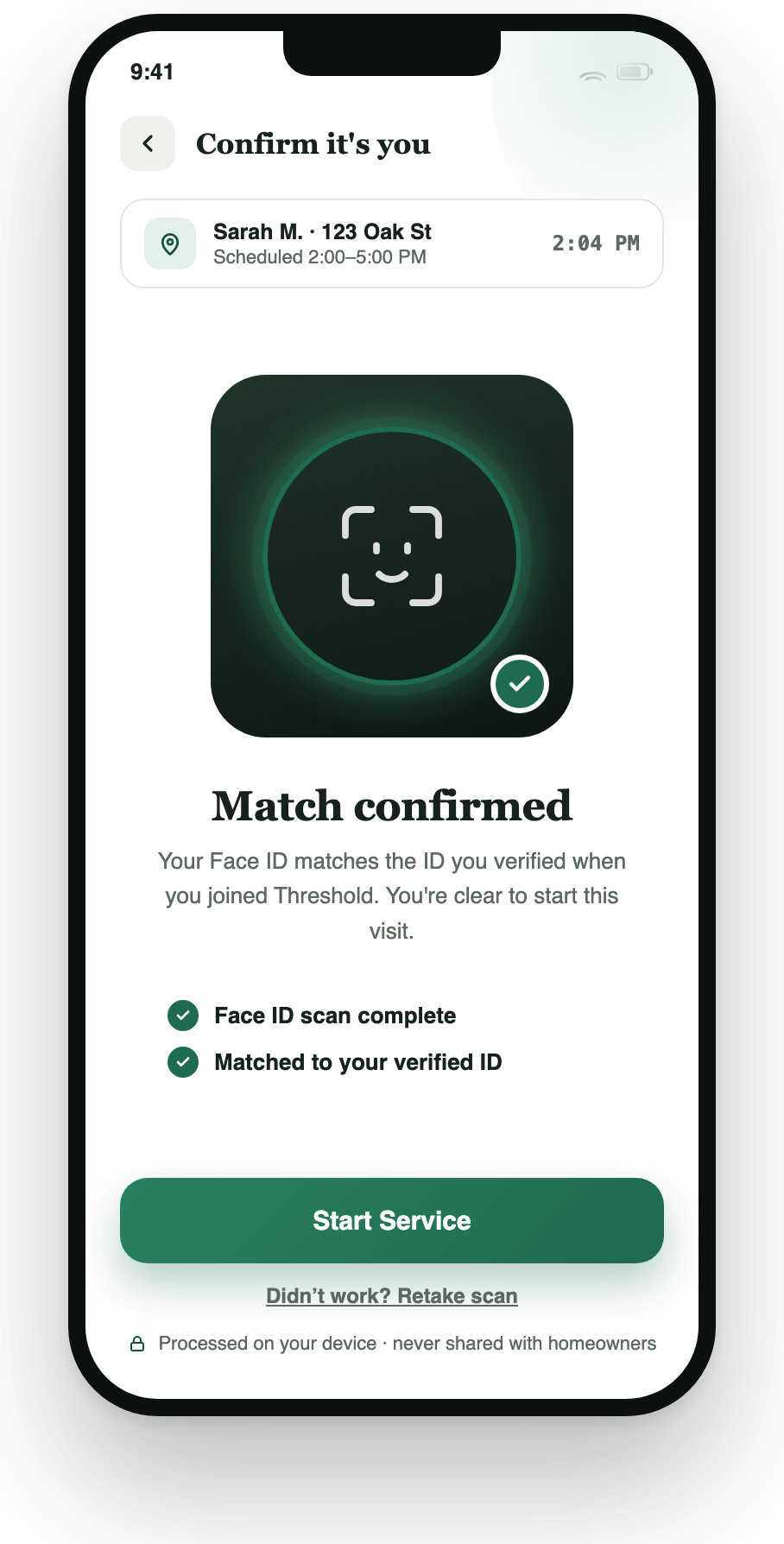
A provider-side Face ID gate at the start of every visit, matched on-device against the ID scanned during onboarding, confirming the person at your house is the person you hired
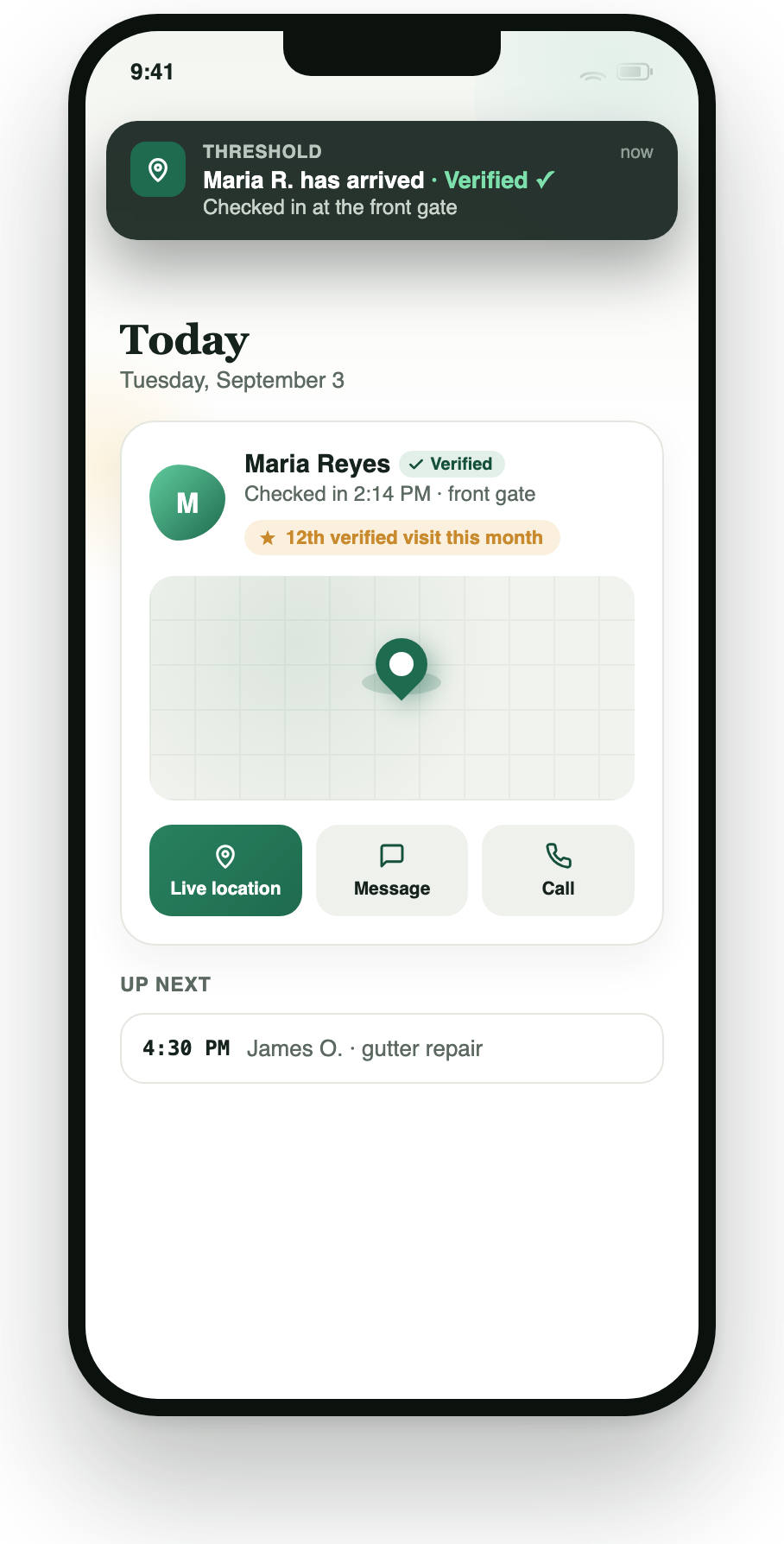
A verified check-in experience, a live arrival notification plus an in-app status card with live location and quick actions
Communication & safety
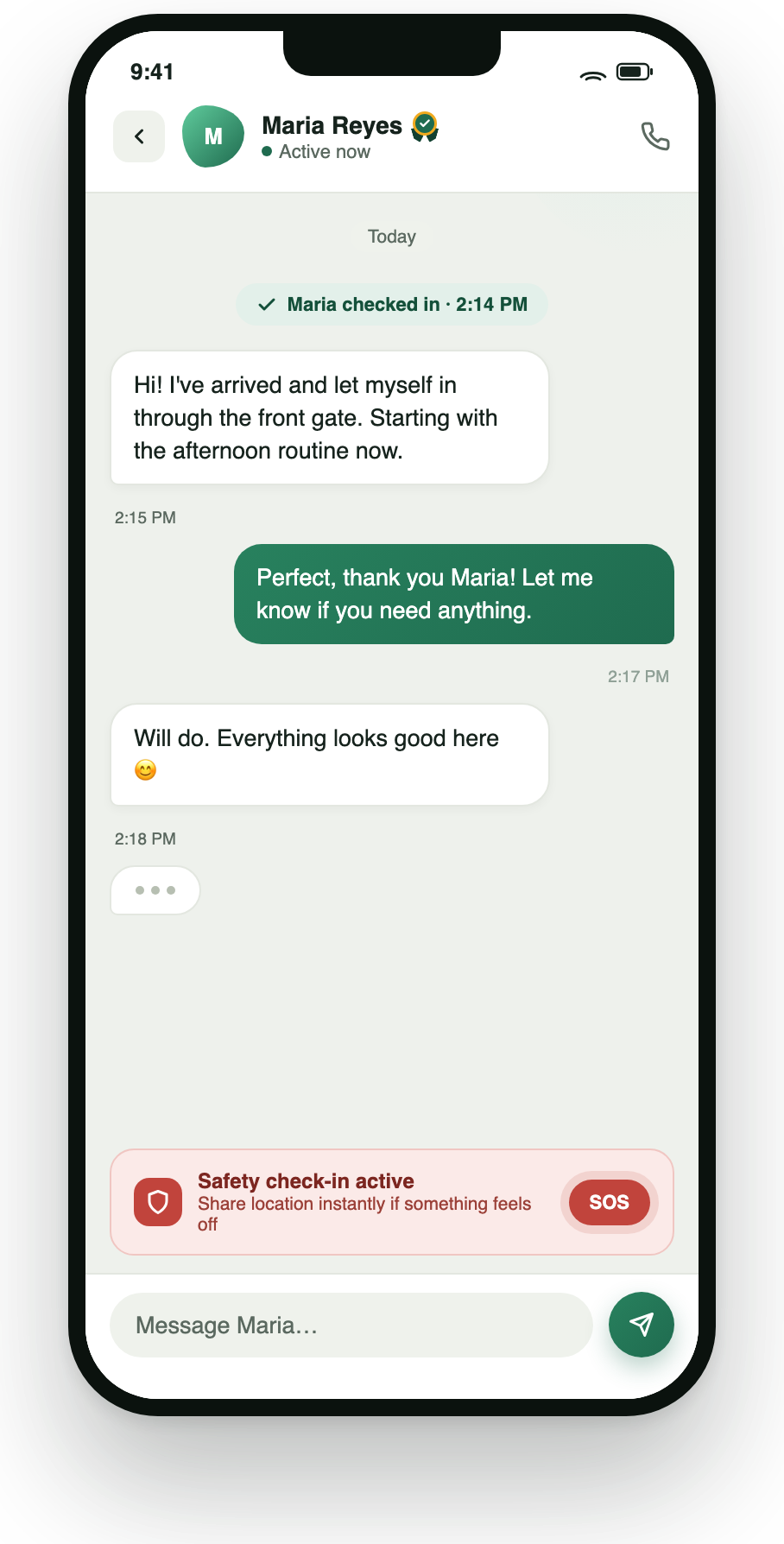
Secure in-app messaging with a persistent, always-visible safety check-in and SOS action
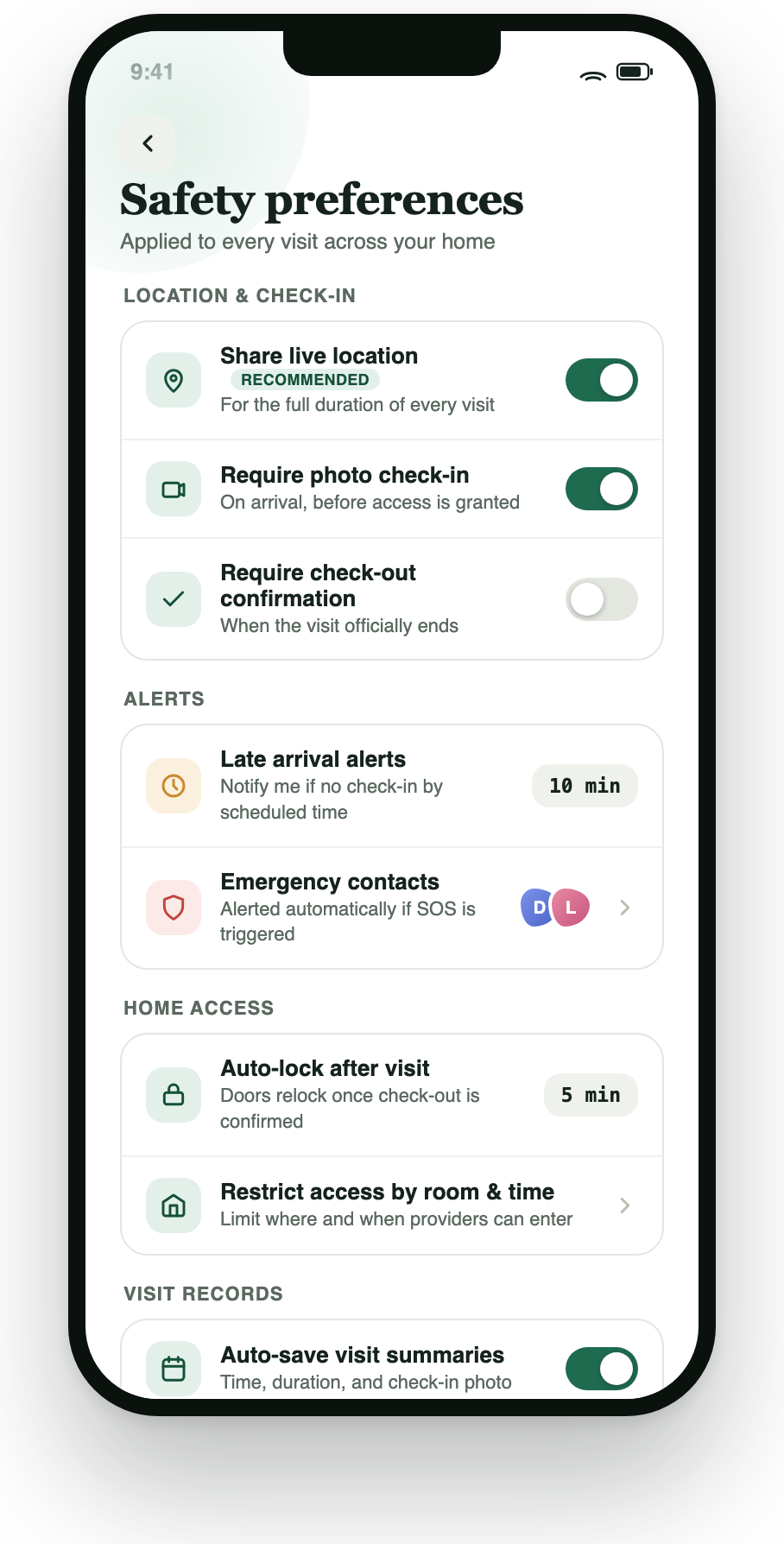
A homeowner preferences screen covering location-sharing defaults, photo check-in requirements, late-arrival alerts, emergency contacts, and home-access rules
Retention & growth
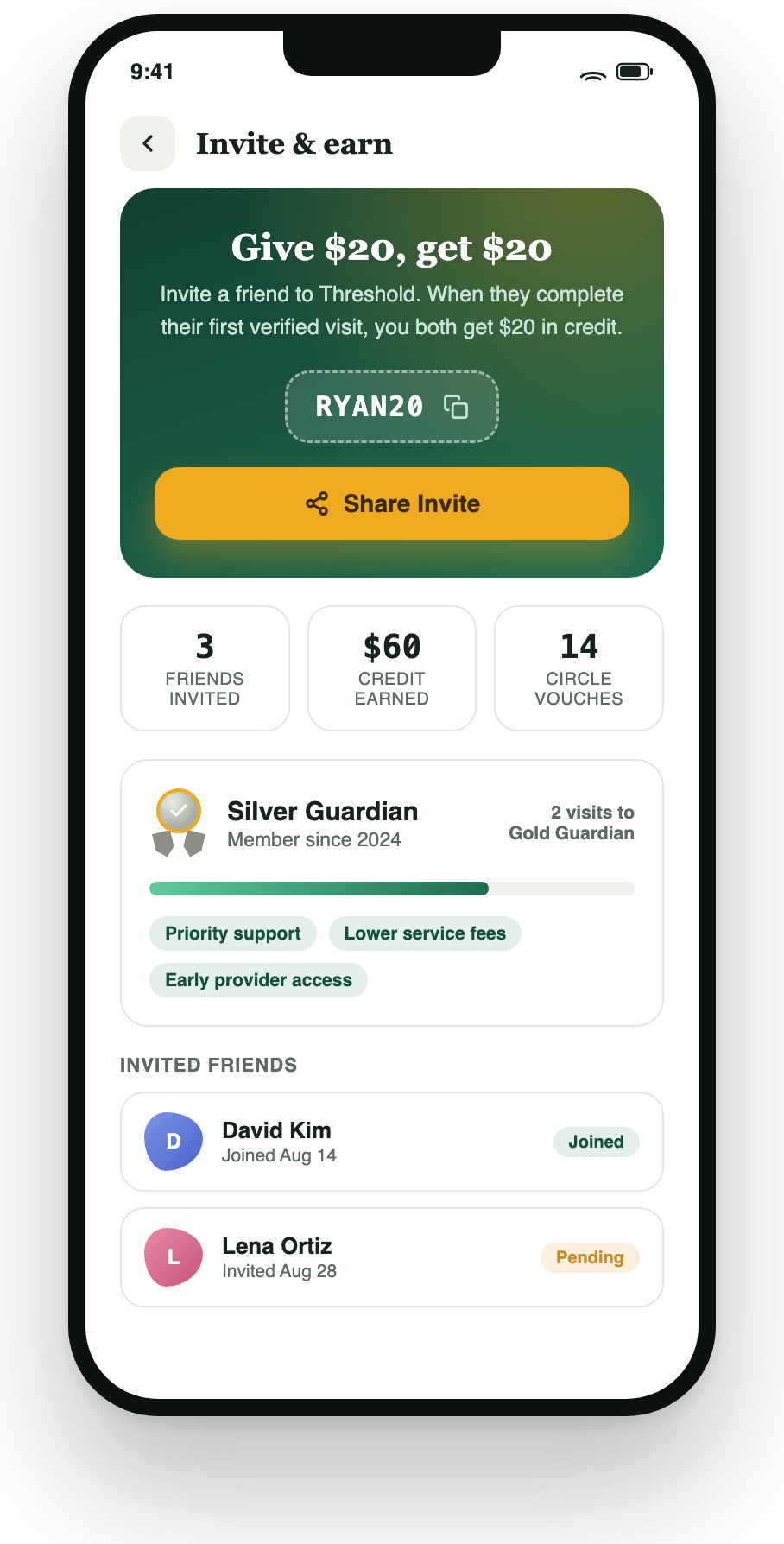
A referral and loyalty system tied to verified visit history