Service Desk Modernization
Service Desk Modernization rebuilds a federal HR service desk from a case-sensitive search form into a real operating dashboard, giving agents queue-level visibility to triage and balance workload across five agencies, and giving customers a self-service view of their own tickets without needing to search at all.
Year
2025-2026
Project
IBM Service Desk Modernization
Role: Product Owner & Platform Lead — only certified platform expert on the project
I led the merger of two client-facing platforms into ServiceNow, redesigning the day-to-day experience for both internal agents and the agency staff who filed tickets.
The problem
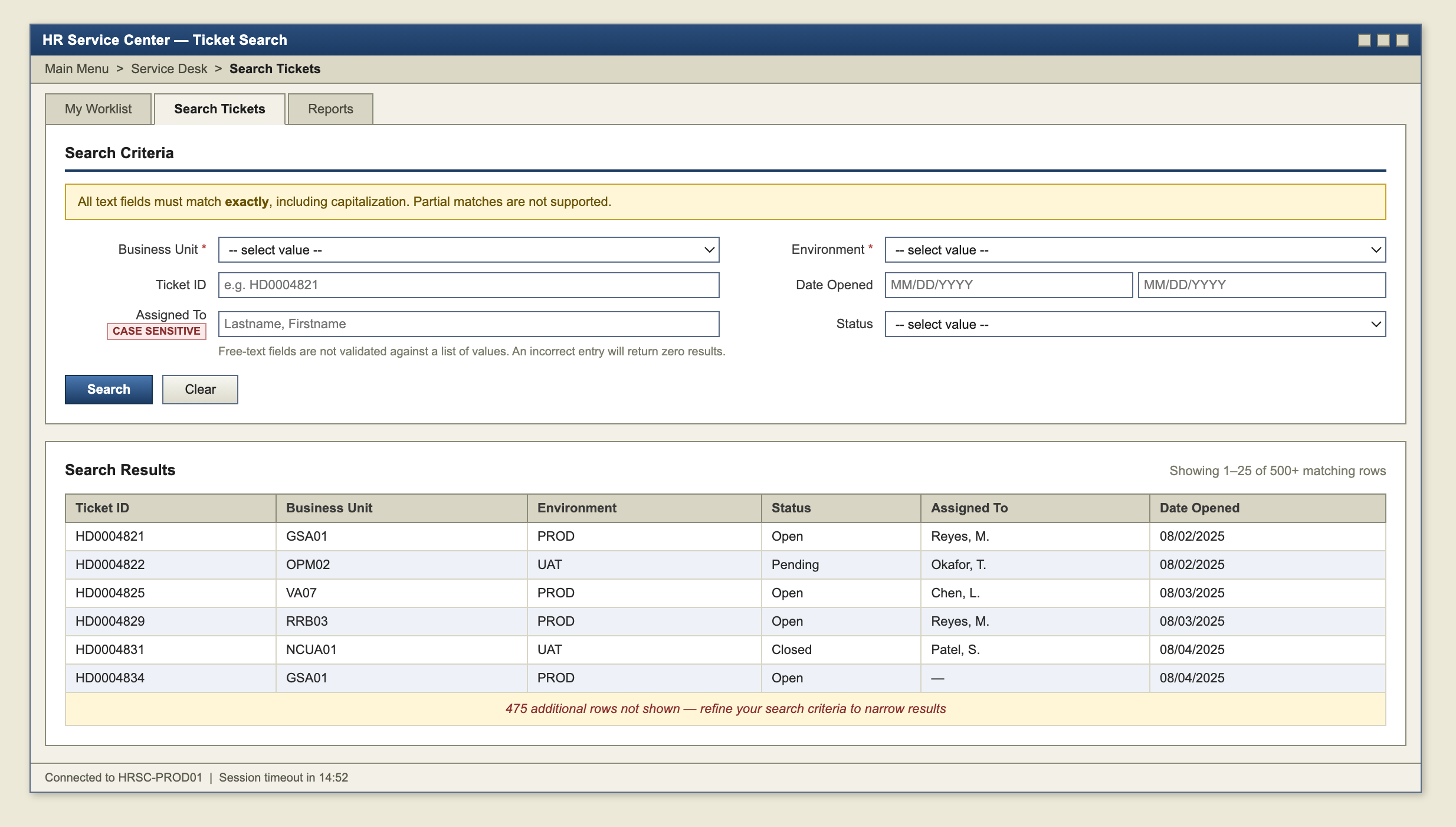
Federal HR service desk agents across five agencies (GSA, OPM, RRB, NCUA, VA) worked out of a legacy PeopleSoft ticketing system that functioned as little more than a search form. The legacy system limited every query to a fixed number of returned rows, and only some fields (business unit, environment, date opened, assignment) offered selectable value lists; every other field required an exact, case-sensitive match with no tolerance for a near match. Agents spent more time working around the search form than resolving tickets, and there was no way to view ticket load or SLA risk across a queue, only one record at a time.
Process
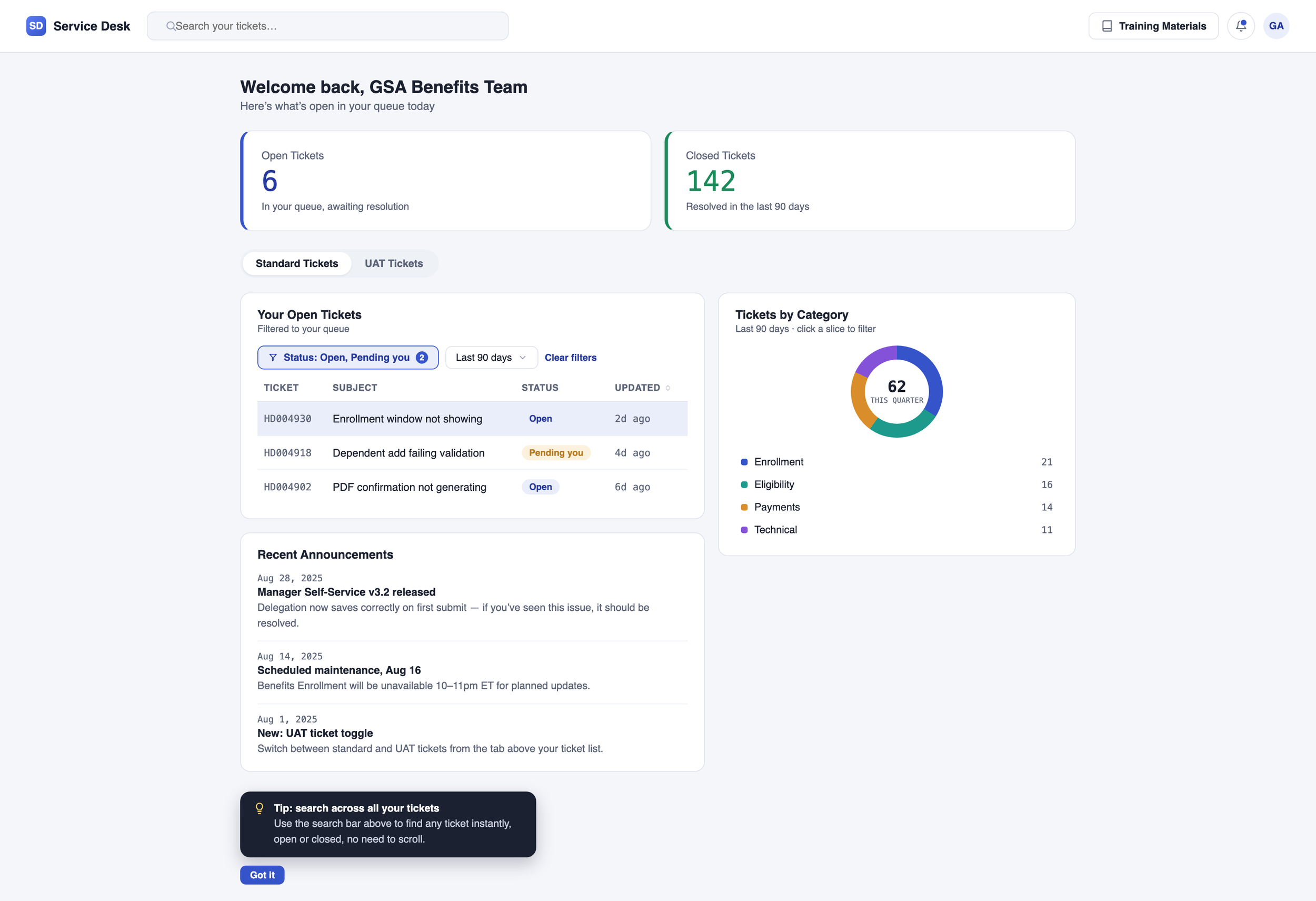
I owned the platform redesign end to end, from requirements through 100+ UAT scripts executed in one week and managing 100+ client escalations during the transition. I designed the ticket experience separately for two audiences: agents and architects who needed queue-level visibility and workload balancing, and agency customers who needed a simple, self-service view of their own tickets.
What I designed
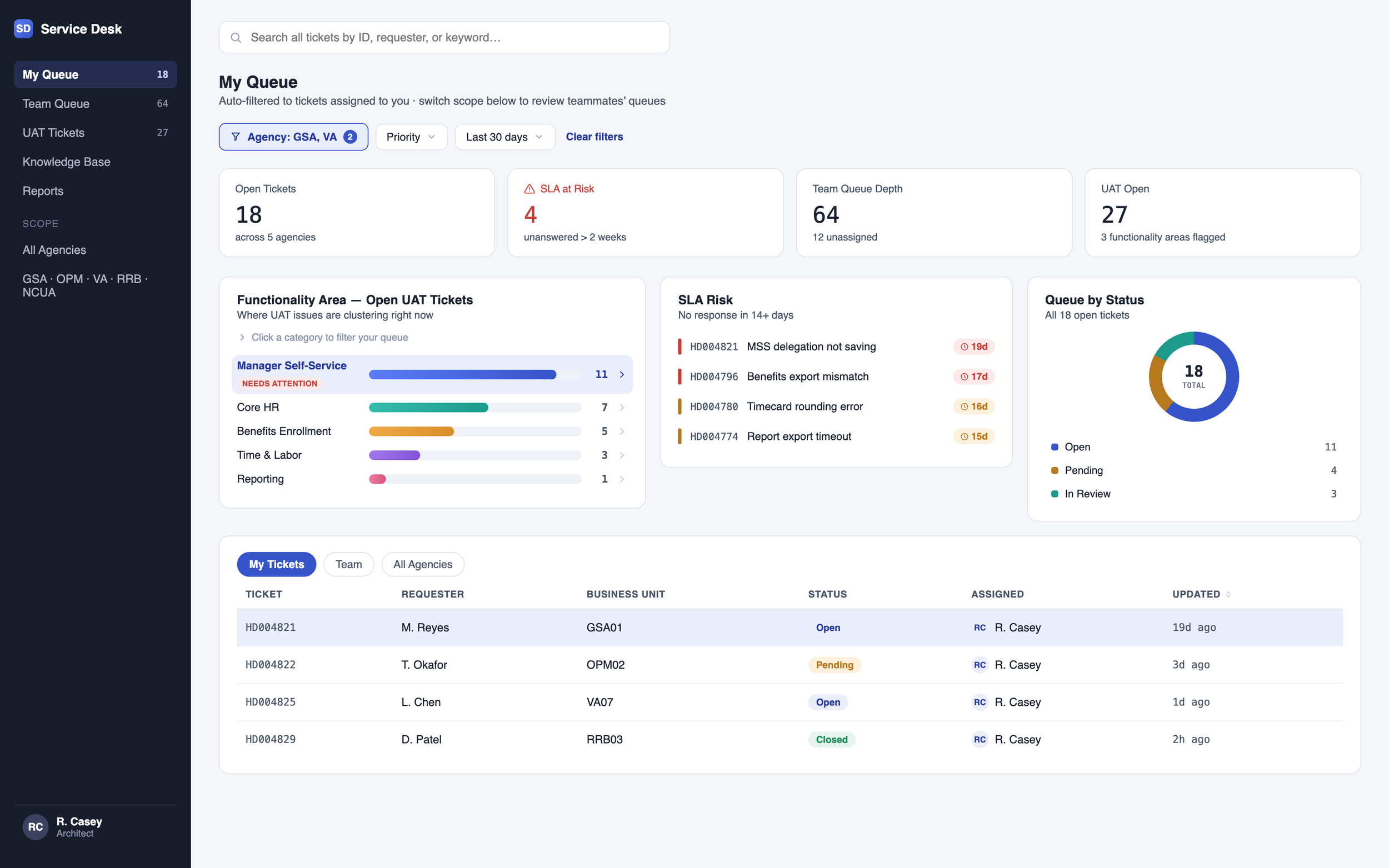
Global search and filtering to replace exact-match, case-sensitive search fields
Role-based queue views: tickets auto-filter to the logged-in agent, with the ability to filter to teammates, so architects can spot overloaded queues and rebalance work
A functionality-area breakdown graph for UAT tickets, surfacing where issues were clustering and what needed attention
An SLA tracker flagging tickets unanswered past the 2-week response window
A customer-facing dashboard with open and closed ticket tiles visible immediately on login, no search required
Quick toggle between standard tickets and UAT tickets for customers
A training materials button plus a WalkMe-guided walkthrough on first login
A recent-announcements panel surfacing new releases, so customers could self-check whether an issue was a known change before filing a ticket