Beacon
Beacon is Stride's AI-powered K-12 math tutoring platform, delivering personalized math practice for students while equipping teachers and families with the tools to track progress.
Project
Beacon by K12 Tutoring
Year
2026
Beacon is Stride's AI-powered K-12 math tutoring platform. I led three connected workstreams, each serving a different audience within the same underlying data: a workspace that helps teachers triage a roster quickly, a dashboard that surfaces what families need to know about their children's progress, and an assignment system extended beyond math into ELA, where evaluating a response takes more than checking it against a single right answer.
Role: Product Owner & Designer
User Research & Discovery
Led 30+ discovery and usability sessions with teachers and students, translating findings into the roadmap for the platform's expansion from Math into ELA (grades 6–8)
Identified that educator-assigned practice drives up to 83% of student platform activity, an insight that shaped Fall onboarding and educator-training priorities
Pilot Growth & Engagement
Grew the platform from a single-school pilot (3 teachers, ~30 students) to a beta spanning 5 schools and 44 teachers, with 26 additional schools identified for Fall expansion
Drove a 71% student repeat-usage rate and 4.1/5 satisfaction rating, with students completing 465 practice problems at an 80% success rate
Educator Workspaces Tab
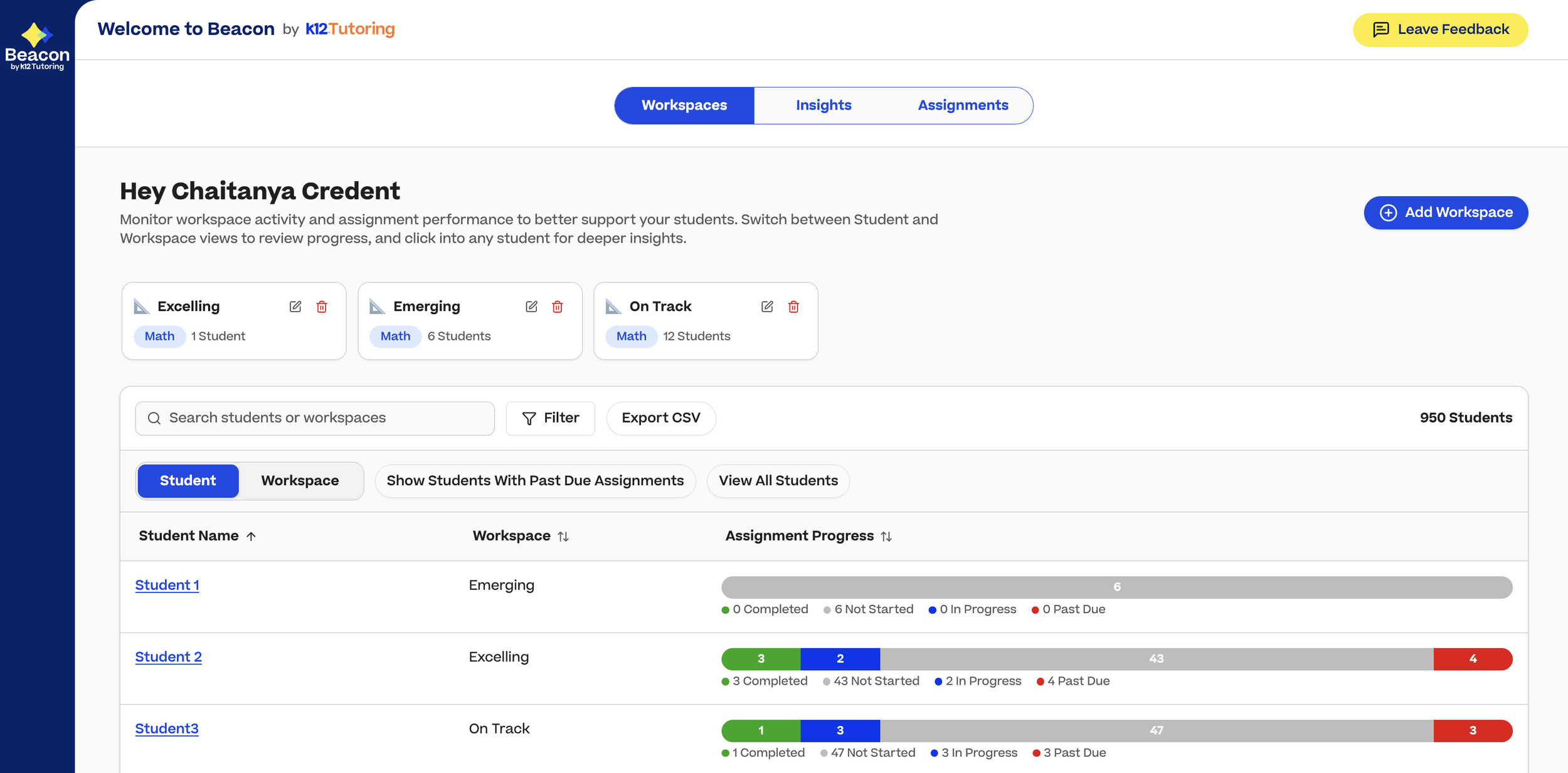
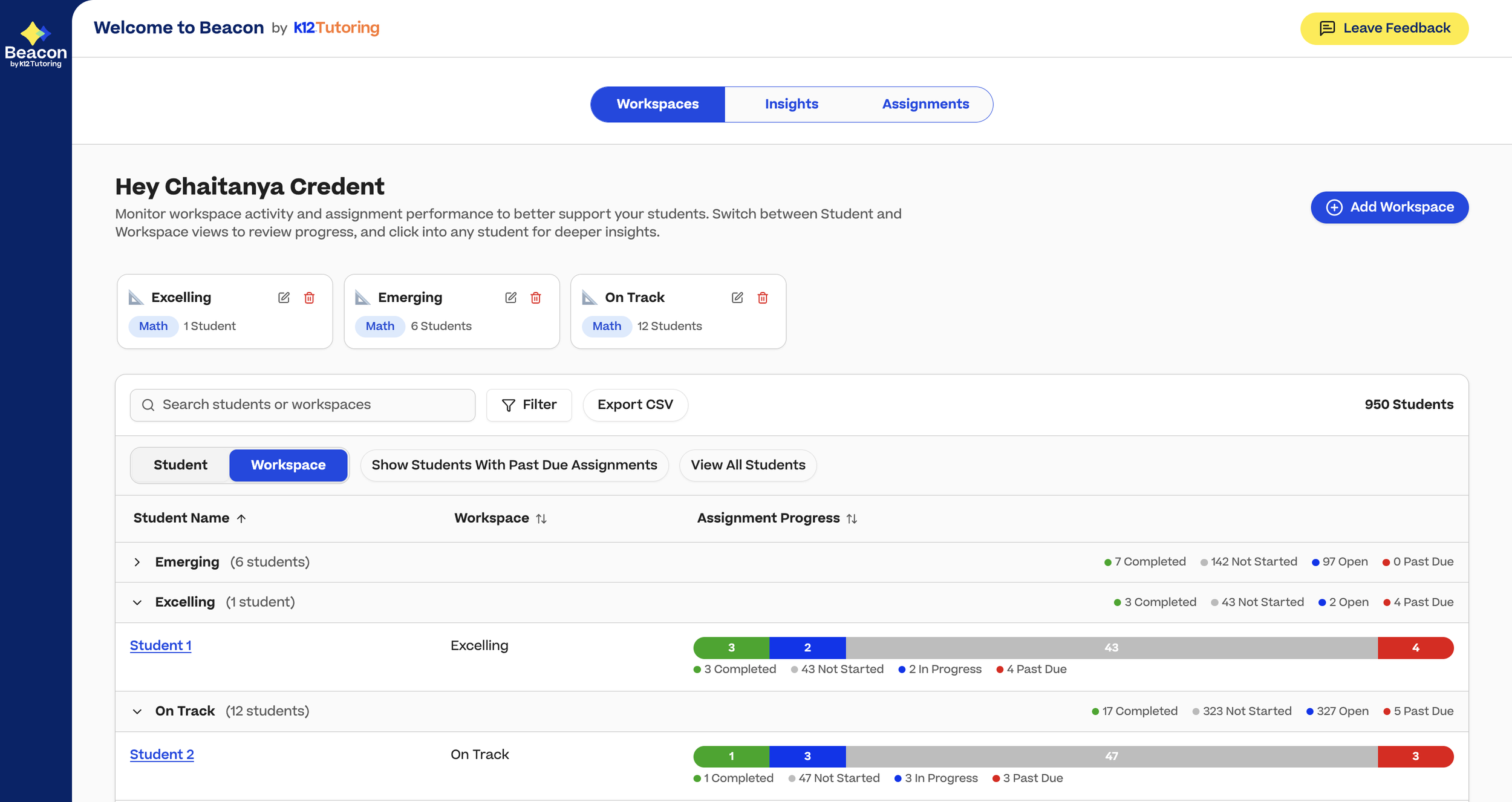
Educator Workspaces gives teachers a single landing page to see who needs attention first, combining a sortable roster, at-a-glance assignment progress, and a path into deeper student insights, so teachers managing anywhere from 15 to 300 students can work efficiently without digging through individual records one at a time.
The problem
Educators managing anywhere from a handful to hundreds of students needed a fast way to identify who needed help, without reviewing individual records one at a time. The educator experience had two tabs; we were adding a third, a roster-style workspace that would also become the new landing page, the first screen every teacher sees on login.
Process
I owned this initiative end to end, writing the spec, prototyping in Figma Make and Claude Code, and validating directly with teachers rather than relying on assumption. The core design questions were which data points genuinely help a teacher triage quickly, and how much filtering and sorting capability to expose without overwhelming a non-technical user managing a large roster.
What migrated
A sortable, filterable roster table with an at-a-glance assignment-progress indicator for each student, and a clear path into a deeper Insights view for any student requiring closer attention.
Guardian Dashboard
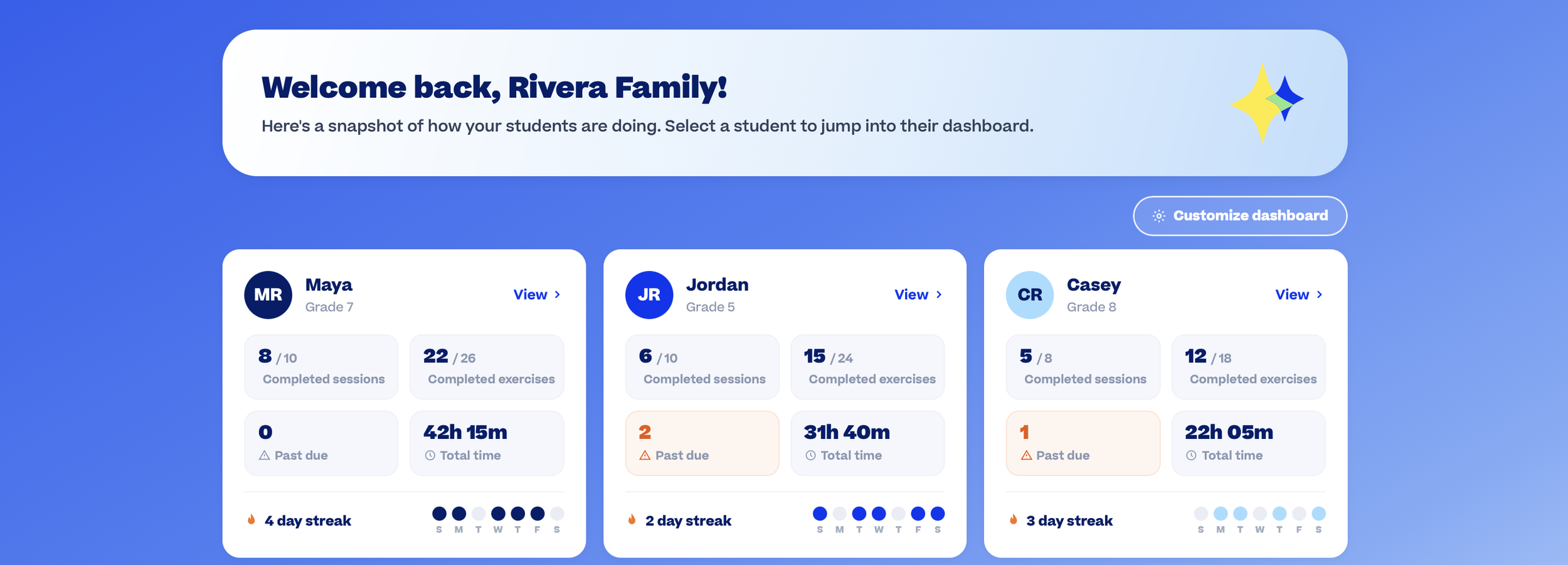
The Guardian Dashboard gives families a dedicated view of their students' learning, bringing together assignment progress, activity, and important alerts so guardians can understand how their children are doing and where their attention may be needed.
The problem
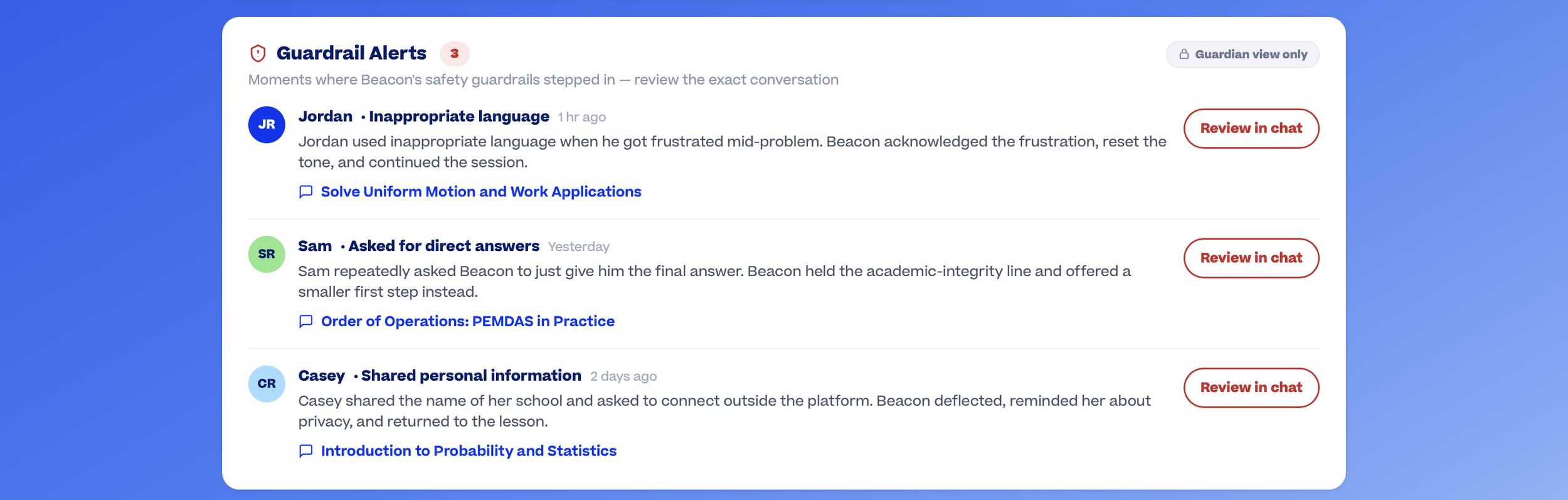
Beacon's educator and student tools were built first; guardians had no equivalent experience, logging in to see their child's exact screens under a different login rather than a role of their own. Guardians could see what their children were doing, but not how they were doing. They needed a dedicated view built around a single question: what is happening across all of my children that requires my attention? Missed assignments, guardrail violations, the information relevant to a parent, not a student's practice screen.
From concept to working experience
I translated the guardian experience into a working HTML prototype simulating the full journey from SSO login through the guardian dashboard. Rather than presenting the dashboard as static mockups, the prototype allows users to navigate the experience as a guardian would: entering through SSO, selecting a role, and moving between the information that matters most using filterable views and actionable controls on a configurable page.
What I prototyped
SSO authentication and role-based entry
Guardian-specific dashboard and navigation
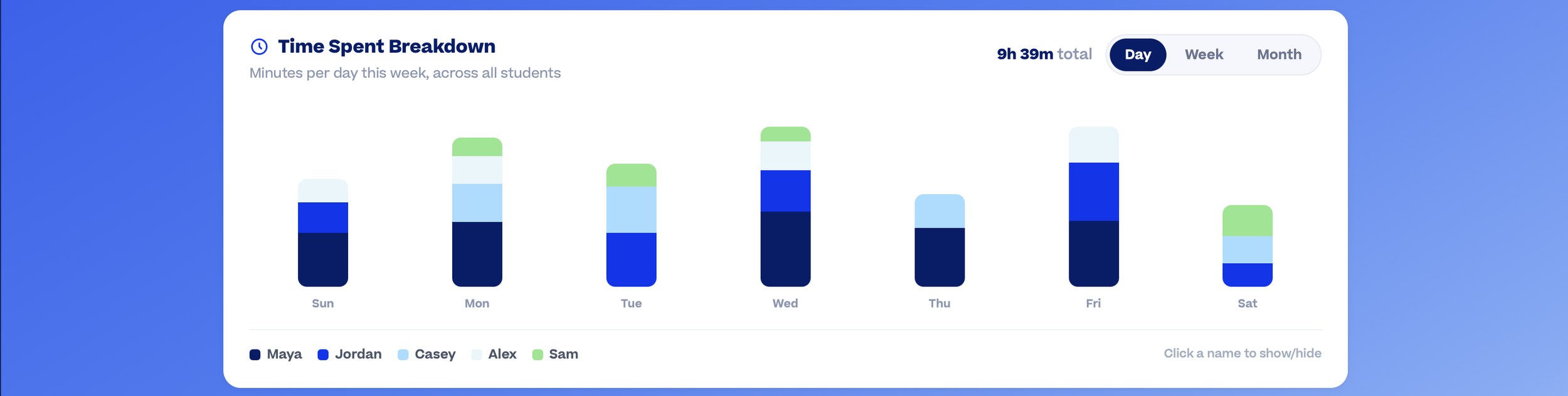
Multi-student visibility and switching
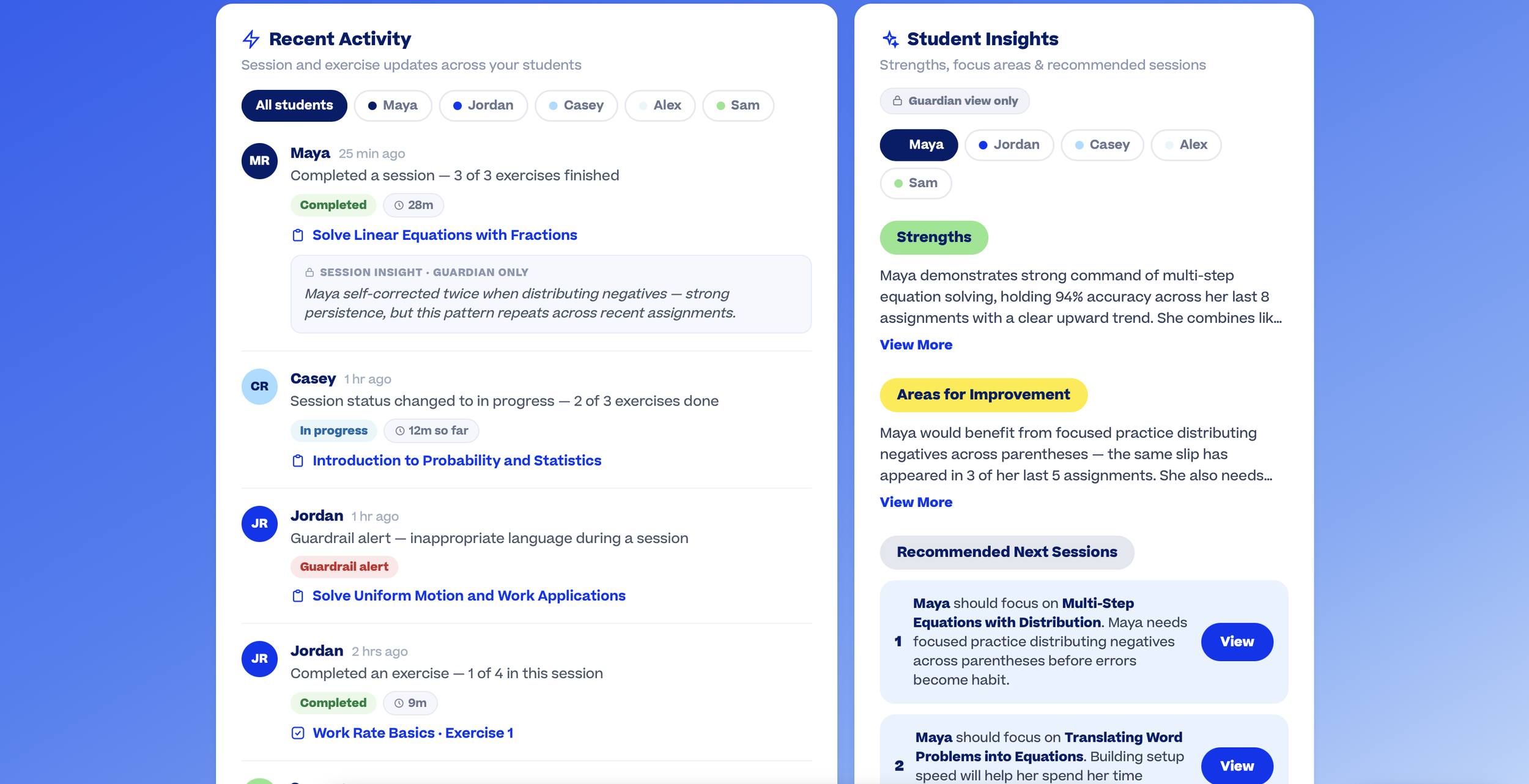
Assignment and activity monitoring
Alerts for missed work and guardrail violations
Student-level drill-downs for additional context
Page configuration for a customized experience
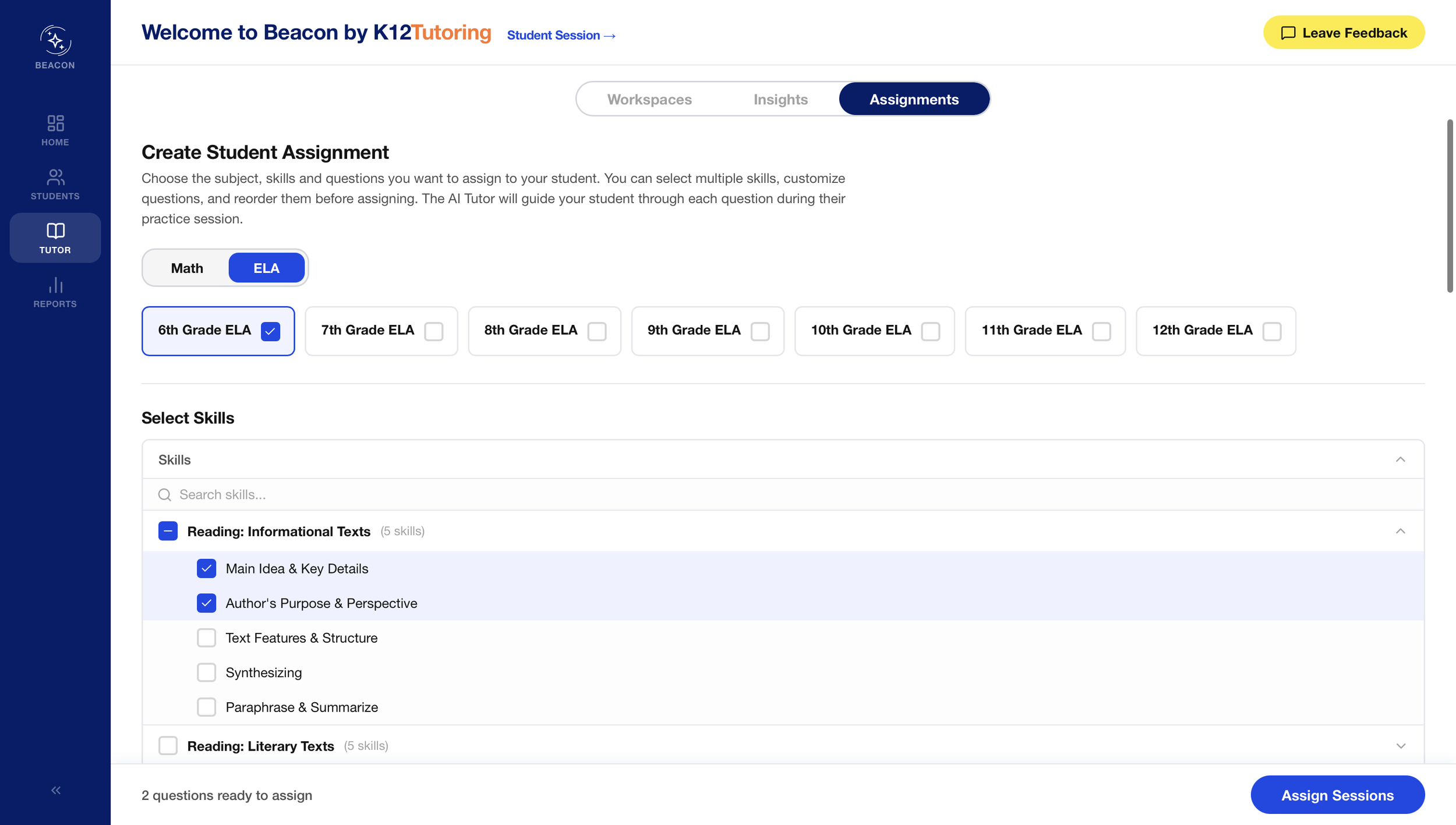
ELA Assignments
ELA Assignments extends Beacon's assignment and revision tools beyond math into ELA, giving teachers reading-level and difficulty data to match content to every student, and giving students a guided, version-controlled way to revise their writing instead of submitting it once and moving on.
Role: Product Owner & Designer (assignment creation) · Co-Designer (student writing experience)
The problem
Beacon's assignment tools were originally built for math, where every problem has one expected answer. Extending them to ELA meant rethinking that assumption at every layer: the language teachers see when building an assignment, the data they use to choose content, and the way students revise open-ended writing.
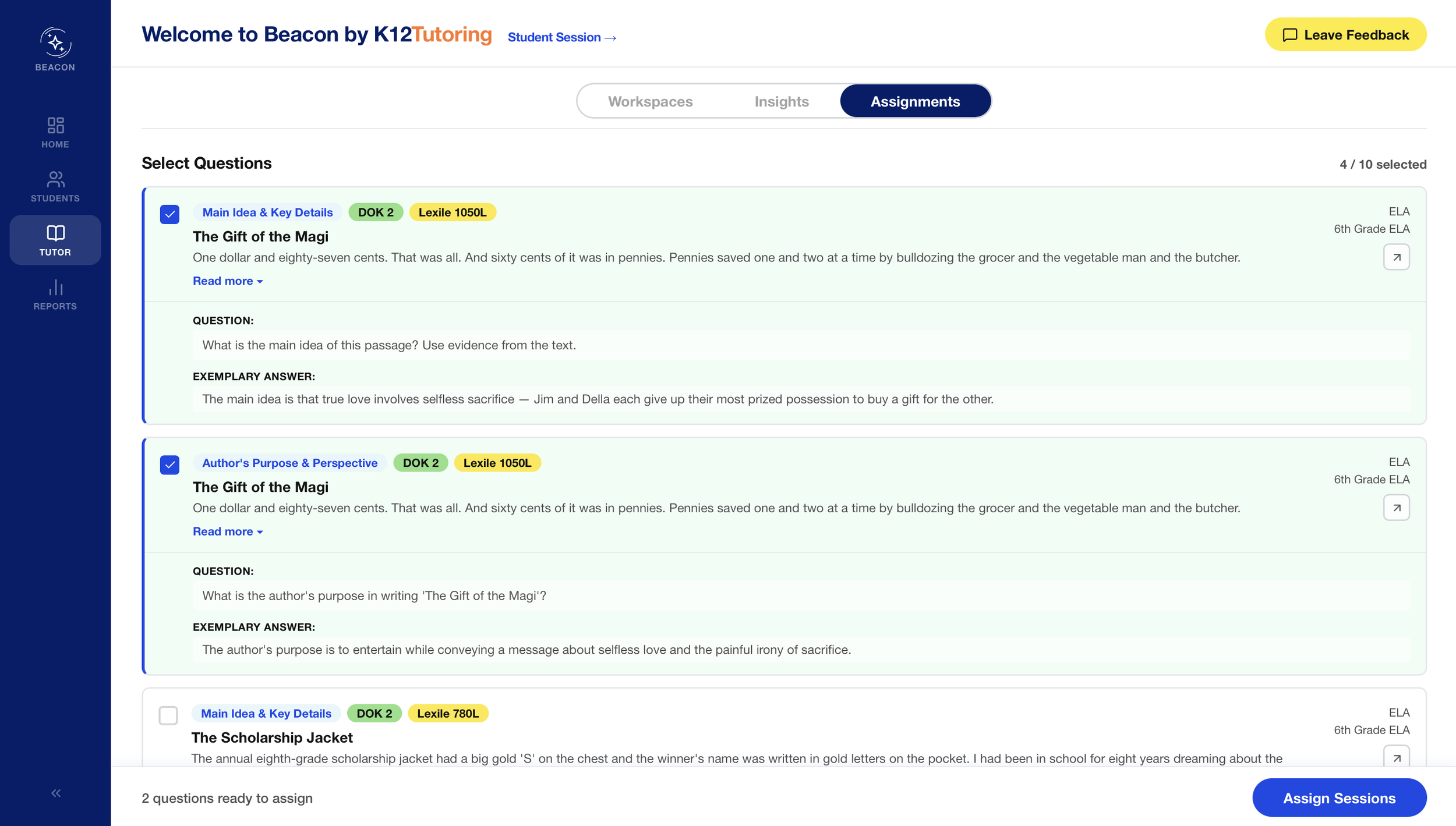
Math can evaluate a response against a single correct answer; ELA cannot. A strong response represents a quality band rather than a match, so teachers require different signals, such as reading difficulty and cognitive demand, to select material suited to a student's reading level rather than grade alone. On the student side, writing improves through revision rather than a single submission, and the flow was designed around that principle.
Process
I owned the assignment-creation redesign end to end: reframing course-card language for ELA, adding DOK (Depth of Knowledge) and Lexile metadata to every applicable skill and passage, and building filtering so teachers can match content to a student's reading level independent of grade. I co-designed the student-facing writing experience, including the reading passage panel, the guided revision flow, and the scaffolding levels teachers use to adjust task difficulty per student.
What I prototyped
ELA-specific course card language: question and exemplary answer in place of expected answer
DOK (Depth of Knowledge) rating and tooltip on every skill
Lexile level on every reading passage
Filtering by skill, DOK, and Lexile to match content across reading levels and grades
A reading passage panel that unpins, resizes text, and reads aloud with word highlighting
A guided writing revision flow with a document editor, multiple saved drafts, and version history with restore
A revision checklist with concrete, skill-specific corrections (e.g., subject-verb agreement)
Independent, partial, and full scaffold variants so teachers can level a task per student